Outstanding Tiny Desk AI
Your people. Their places in the band.
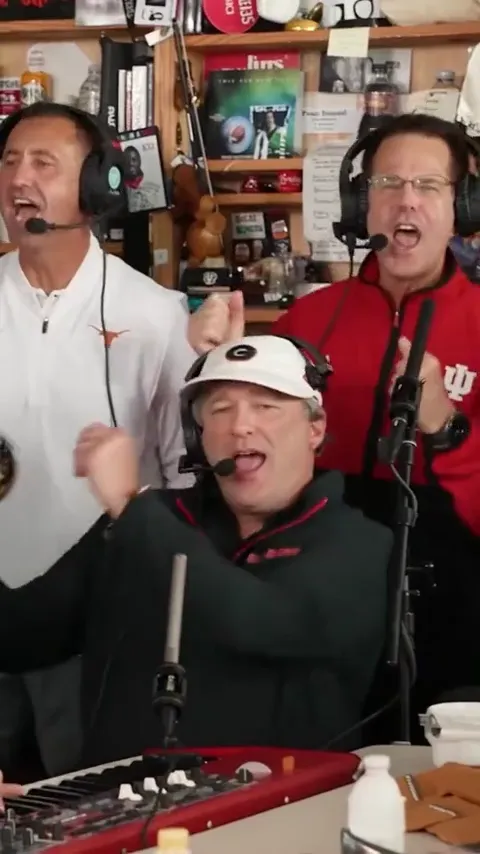
Make your own Tiny Desk AI video: take the lead, cast the opening trio or replace all five musicians. Every scene follows the full performance, from ensemble to lead close-up to saxophone.
- 1, 3 or 5 portraits
- 15 seconds
- Generated sound
Put yourself and your friends in the band, following the template’s movements, camera cuts and rhythm.
Cast your performance
Lead vocals
No photo selected
JPG, PNG or WebP · Under 30 MB · One consenting adult per photo
Photo requirements
Each side: 301–5,999 pixels; aspect ratio greater than 0.4 and less than 2.5; up to 40 megapixels. Show the face and some clothing. Phone uploads go to the currently selected role.
Video settings Model, quality and format
All scenes produce the full performance. Current format: portrait 9:16.
Loading available settings…
AI-generated performance audio. Reference audio guides the style and rhythm; melody, vocals and timing may vary.
Loading template settings…
Before you create
How do I make my own Outstanding Tiny Desk meme?
Choose the lead singer, opening trio or full band, then add a separate photo for each selected role. The template provides the performance direction; you do not need a motion prompt or your own concert video. Follow the Tiny Desk photo and role guide for a step-by-step walkthrough.
Do the scenes change the video length?
No. All three use the full performance. They change which musicians you replace.
Will my video follow the template’s performance?
Your selected musicians follow the template’s setting, shot sequence, camera movement and actions. Check the completed video’s role assignments and performance before sharing; individual results may differ from the preview.
Can I change the lyrics or song?
This template supplies fixed performance direction and reference audio. It generates new sound; it does not promise the original recording or exact vocals.
Can I add a platform sound later?
Mute the downloaded video's existing audio in your editor, then choose an available platform sound. Check account, region and commercial-use permissions. Permissions do not automatically transfer between apps.
Where do I find my video?
Follow the result here or in History. Download within 15 days. Confirmed failures return reserved credits; uncertain submissions stay reserved until resolved.
Choose the right performance for your photos
Use this Outstanding Tiny Desk AI template to assign friends to band roles in a full performance. Want a solo video with words you can change? Try Bulin 47 freestyle. For a two-person performance with scene choices, use Hotel Lobby.