How to Make an Outstanding Tiny Desk AI Video from Your Photos
To make a Tiny Desk AI video in Kinevello, open the Outstanding Tiny Desk template, choose the lead singer, opening trio or full band, and add one photo for each selected role. Open Video settings, review the credit total and generate. All three choices follow the template’s movements and camera cuts in a full 15-second vertical performance with generated audio.
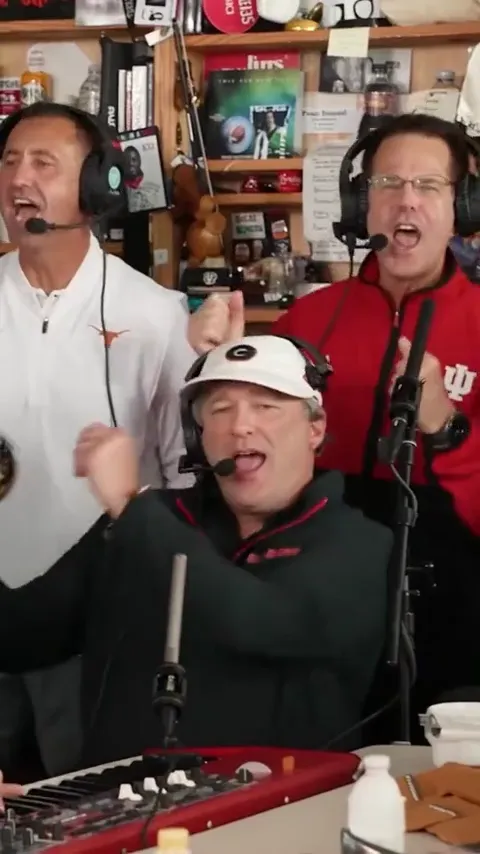
What is the Outstanding Tiny Desk meme?
The idea is to put familiar faces into a compact band performance: musicians gathered around a keyboard, a lead-singer close-up and a saxophone shot. For your own version, use photos of yourself or friends who have agreed to take part. Kinevello’s Outstanding Tiny Desk AI template follows the template’s musician movements, shot sequence and camera, so you do not need to write a motion prompt or edit the shots together.
Looking for the original Charlie Wilson Tiny Desk concert? NPR’s concert notes by Bobby Carter list “Outstanding” in the set. Create your photo-based version of the template’s performance. Kinevello is not affiliated with NPR, Tiny Desk Concerts or the performers.
Choose the lead, the opening trio or the full band
Choose based on who you want to appear, rather than how long you want the video to be. Every option keeps the full performance; only the replacement roles change.
| Your choice | Photos to prepare | Who they replace |
|---|---|---|
| Lead close-up | 1 separate portrait | The lead singer in the close-up. |
| Opening trio | 3 separate portraits | The foreground keyboard player and the backing singers on screen left and screen right. |
| Full band | 5 separate portraits | The opening trio, the lead singer and the saxophonist. |
For a solo joke, start with Lead close-up. For three friends together, choose Opening trio. Choose Full band when you have a photo for every named role. The foreground keyboard player appears again beside the saxophonist; the same assigned photo guides that person in both shots. One-photo mode does not turn the whole band into the same person.
Prepare photos that are easy to assign
Use one consenting adult per photo, with the face clear and some clothing visible. Prepare separate portraits rather than a group photo. Avoid heavy filters, sunglasses, hands covering the mouth and very tight crops. All five photos should be easy to tell apart when you review the role assignments.
The uploader accepts JPG, PNG or WebP under 30 MB each. Each side must be 301–5,999 pixels, the aspect ratio must be greater than 0.4 and less than 2.5, and the image must be no more than 40 megapixels. Use your own photos or material you have permission to submit. Public figures, celebrities and politicians are not allowed.
How to make your Tiny Desk AI video
Watch the preview
Open the Outstanding Tiny Desk AI template. Select Play with sound to hear the template performance and watch where the cuts happen. Watch the movements, role positions and shot sequence your video will follow.
Pick your replacement roles
Choose Lead close-up, Opening trio or Full band. Check the role thumbnails before adding photos: screen left and screen right describe the positions you see in the preview.
Add a photo to each role
Select a role card, then choose its photo. Repeat until the progress count shows every required portrait is ready. On a computer, Upload from phone lets you send a photo by QR code; select the intended role before opening that transfer.
Open Video settings and review the quote
Use the arrow beside Video settings to see compatible models and quality choices. This template uses a 15-second, 9:16 portrait format. The current credit total appears outside the settings panel. Confirm both the role assignments and total before creating.
Generate once, then review
Confirm permission to use the photos and select Generate video. If you leave the page, follow the existing task in History before submitting again. Review faces, role consistency, hands and the cuts throughout the completed video.
Save a copy
Download the completed video within 15 days. Keep a local copy for editing or sharing. If a task is still pending, wait for its status rather than assuming it failed; the credit guide explains reservations and confirmed failure returns.
Will it use the original Outstanding audio?
The output includes newly generated performance audio. The reference guides style and rhythm; it does not guarantee the original recording, melody, voice, exact words or lip-sync. This template has fixed performance direction: there is no custom-song upload or lyrics editor. Play the finished result before deciding to share it.
For a platform sound, download the video, mute its existing audio in TikTok, Instagram or CapCut, then choose a sound available to your account. Check permitted uses, especially for commercial posts. A track available in one app is not automatically cleared elsewhere, and changing the sound can affect lip-sync and beat timing.
What if a face or role is not right?
First compare the uploaded photos with the named role cards. A photo assigned to the wrong slot changes the intended person. If the assignment was correct, try a clearer portrait on a later attempt and change one thing at a time. New attempts use credits, so inspect the whole result before paying for another version.
Your selected roles follow the template’s actions, camera cuts and setting, while your assigned photos guide their faces and clothing. Check the role assignments and completed performance before sharing; individual results may differ from the preview.
Frequently asked questions
Can I make the Tiny Desk meme with one photo?
Yes. Choose Lead close-up and add one portrait for the lead singer. The video still includes the full performance, including the opening band and saxophone shot.
Do I need to upload a concert video or write a prompt?
No. Kinevello supplies the template’s performance and shot sequence. You upload the required portraits and choose from the available settings.
Does replacing five people cost five times as much?
For matching model and quality settings, the current template quote is the same across the three role choices. Read the displayed total before submitting; photo count alone does not multiply that quote.
Can I change the words instead?
Tiny Desk uses fixed performance direction. For a one-photo performance with your own verse, use the Bulin 47 freestyle template. For a two-person scene, explore Hotel Lobby.