How to Make a Bulin 47 AI Freestyle Video
To make a Bulin 47 AI freestyle video, open Kinevello’s Bulin 47 template, add one portrait and choose preset Spanish lyrics or your own short verse. Select compatible video settings, review the credit quote and generate a 10-second performance with sound.
Updated
What is the Bulin 47 AI freestyle template?
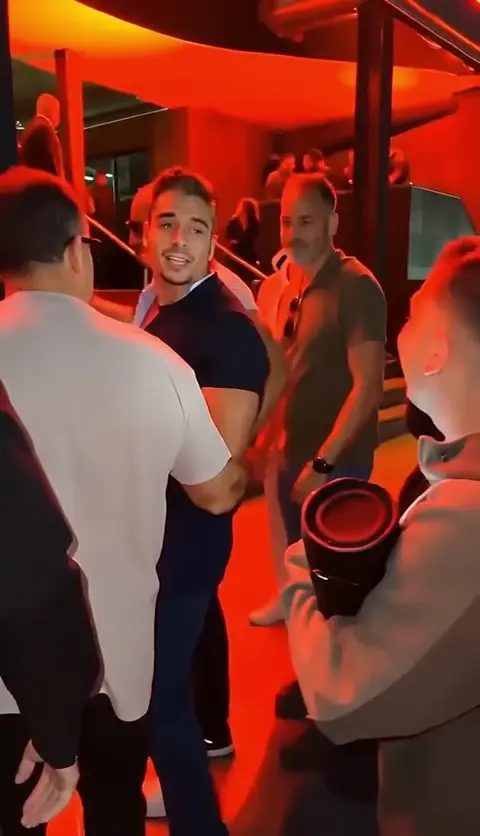
The Bulin 47 AI freestyle format places a central performer in a lively party-style scene. Kinevello uses your portrait to guide that performer’s appearance, while the template supplies the performance direction. You choose the lyrics mode, a compatible model and the available video settings.
This is an independent creative interpretation. It is not an official video, an endorsement by Bulin 47, or a promise to recreate the artist’s voice or original recording. Facial details, delivery, background movement and lip timing can vary in the generated result.
It is a useful starting point when you want a solo performance without writing a scene prompt. For two people sharing a frame, use the Hotel Lobby duo template.
What you need
- One portrait: choose a clear photo of yourself or a consenting adult, with an unobscured face.
- A lyrics choice: use the preset Spanish verse, or prepare a short original verse for the custom field.
- Rights to your material: only submit photos and lyrics you are permitted to use. Public figures, celebrities and politicians are not allowed.
- Credits for the chosen settings: check the template’s exact quote before generating.
JPG, PNG and WebP are supported, under 30 MB per image. Open Photo requirements beside the uploader for the current dimension limits. A well-lit portrait with a simple background is easier to interpret than a group photo or a face hidden by a strong filter.
How to make your freestyle video
Open the Bulin 47 template
Visit Bulin 47 AI Freestyle and preview the example to understand the performance direction. Treat it as an illustration of the format rather than an exact outcome you will receive.
Choose your portrait
Select Choose your photo and add one image. If the photo is on your phone, open the page on your computer, choose Upload from phone and scan the QR code. Check the selected portrait before continuing.
Select preset or custom lyrics
Preset lyrics uses the template’s Spanish verse. Choose My own lyrics if you want to enter your own words. Write only what you want sung; avoid camera directions, scene descriptions and instructions to the model.
Set your model and format
Choose an available model, quality and aspect ratio. Every clip in this template is 10 seconds. The selector only offers compatible combinations; changing a setting updates the credit quote.
Generate, review and save
Read the quote and consent confirmation, then generate. Follow the task in your account if you leave the page. Review the portrait likeness, lyrics delivery and lip movement, then download the video you want to keep.
An example setup to follow
For a first vertical freestyle, use one clear portrait, select Preset lyrics, then choose Seedance 2.0, 480p and 9:16. The template fixes the duration at 10 seconds and includes sound. These controls were available when checked on November 1, 2026; use the current form if availability changes.

To try your own verse, select My own lyrics and use the original example in the next section. Keep the portrait and video settings the same so that your next result is easier to compare. After generation, listen for the requested words and review facial likeness, lip movement and framing. The sample above is an existing showcase, not a result generated by this walkthrough or proof of its settings.
Preset lyrics or your own verse?
Choose the preset when you want to explore the template with fewer decisions. It gives you the template’s Spanish verse and keeps your first attempt focused on the photo, model and format. You do not need to know the original lyrics or transcribe a sample.
Choose custom lyrics when the words matter to your idea. Keep the verse short enough to fit 10 seconds. The current custom input allows up to 1,000 characters and up to 40 words or syllables; a brief verse leaves more room for natural delivery. Follow the count and any validation message shown beside the field.
Step into the light, let the whole room glow.
One small moment, watch the good mood grow.
The short verse above is an original example you can adapt. Replace it with words you have the right to use. Writing lyrics in another language does not guarantee pronunciation, exact wording or a particular vocal style. Preview the finished result before posting.
Custom lyrics change the requested words. They do not select a new location, upload a different soundtrack or give you a control for choreography. If your goal is a new scene with your own camera direction, choose Text to Video or Image to Video.
Photo and framing tips
Use one visible face with enough detail to identify the intended performer. Avoid heavy beauty filters, blurred eyes, extreme side profiles and hands covering the mouth. Leave a little room around the head and shoulders so the source is not overly tight.
For a portrait composition, choose 9:16 when the selected model offers it. Another available ratio may suit a wider layout. The output format is separate from the shape of your source photo, so inspect the frame for unwanted crops and changes to clothing or facial proportions.
If you create a second version, change one thing at a time: the portrait, the verse, or a model setting. Compare the result with your intended outcome before spending on further attempts.
Credits, task progress and downloads
Your selected model, quality and the template determine the displayed credit total. Read that quote before submitting. This template stays at 10 seconds; a price example for a general studio video does not override its template quote.
Generation can take several minutes. A slow response is not proof that the task failed. Check your account history before sending a new request. Reserved credits return automatically for a confirmed failure; see the credit guide for the distinction between a pending task and a failed one.
Download completed videos within 15 days. On a computer, Download to phone lets you scan and transfer an available result. Keep a local copy if you want to use it later; the account is not permanent video storage.
Frequently asked questions
Does this template need a full-body photo?
Start with a clear portrait of one person. Keep the face visible and avoid a very tight crop. Follow the photo requirements beside the uploader.
Can I use my own lyrics?
Yes. Choose My own lyrics and enter a short verse you have permission to use. The current custom limit is 1,000 characters and 40 words or syllables for the 10-second clip.
Can I upload my own song or reference video?
No. The custom field accepts lyrics, not audio files, videos or arbitrary media links. The template supplies the performance direction.
Is the result guaranteed to match the sample?
No. Each result is generated anew, so likeness, delivery, lip movement and timing can vary. Review it before sharing.