Wassup in a Minute AI
Your people. One hillside dance.
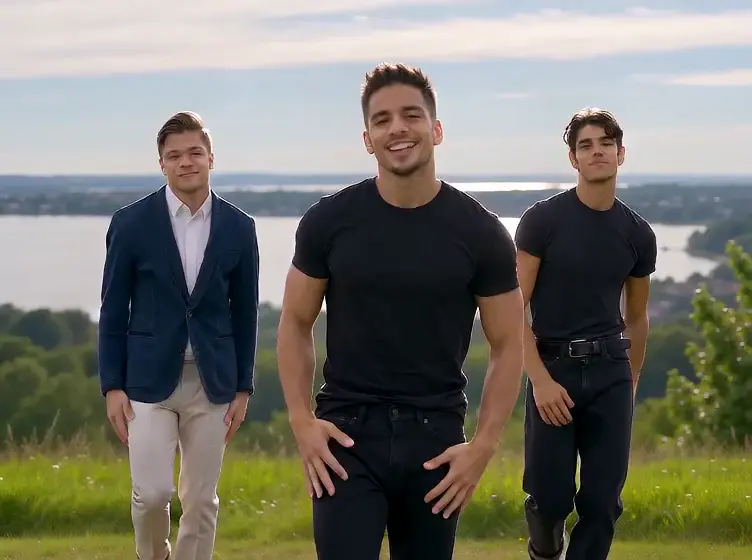
Create your own Wassup dance video from one to three portraits. Inspired by the TikTok trend, this hillside scene follows a four-shot performance. Assign a photo to each selected dancer.
- 1–3 individual portraits
- 15-second dance
- Landscape 4:3 · generated sound
Each cast creates a 15-second AI performance. The generated dance movements and music may differ from the example video. Check the credit quote before creating.
Cast your dance
Center dancer · close-up
No photo selected
JPG, PNG or WebP · Under 30 MB · One consenting adult per photo · Face clear, front-facing and unobstructed · Head and shoulders in frame
Photo requirements
Use a clear, front-facing photo with the whole face visible and unobstructed; avoid sunglasses, masks, hands or hair over the face, heavy filters and extreme angles. Show the head and shoulders with some clothing: a very tight face-only crop is harder for the model to place into the scene. Each side: 301–5,999 pixels; aspect ratio greater than 0.4 and less than 2.5; up to 40 megapixels. Phone uploads go to the currently selected role.
Video settings Model, quality and format
Each cast generates a 15-second performance. Current format: landscape 4:3.
Loading available settings…
AI-generated performance audio. Reference audio guides the style and rhythm; melody, vocals and timing may vary.
Loading template settings…
Before you create
How many photos do I need?
Choose one, two or three dancers and provide one individual portrait for each role. Any role without a photo is played by an AI-generated dancer, and that dancer's face and outfit may change from one video to the next. Group photos are not supported.
Will the dance and sound match exactly?
The template guides the shot sequence and dance, while reference audio guides the generated sound. AI-generated movements, music, vocals and timing may differ from the example video. Review your result before sharing.
Can I change the song?
The template uses fixed reference audio to guide generated sound. After downloading, you can use the audio remover and add a sound available to you in your editor. Check its permitted uses; changing tracks can affect timing.
Where is my video?
Follow it here or in History. Download within 15 days. Confirmed failures return reserved credits; uncertain submissions remain reserved until resolved.
Explore the Wassup dance and song
Looking for the Wassup meme or the “Wassup been a minute” song? Explore the dance and its sound before making your own photo-based version.
Learn the four-shot dance · Read about the song · Compare templates
What is the Wassup in a Minute AI template?
Kinevello’s Wassup in a Minute AI template creates a 15-second hillside dance video with generated sound from one to three individual portraits in landscape 4:3. One photo replaces the centre dancer, two replace the centre and screen-right dancers, and three replace all dancers. The reference guides the four-shot sequence, movements and audio; your photos guide the selected dancers’ appearance. Credits depend on the selected model and quality, and the exact quote appears in the form before you create. Open the Wassup template · Learn the four-shot dance.