Boom Clap Confetti AI Trend
Your photo, a sky full of fireworks, and a kiss to camera.
- 1 full-body photo
- 13 seconds
- Silent download
Your download is silent. Due to music licensing restrictions, the downloaded video does not include “Boom Clap.” You can add the track in TikTok or Instagram Reels if it’s available to you.
Create my confetti videoThis example could not load.
This example could not load.
Examples include music added after generation. Generated movement and lip timing can vary.
Make your Boom Clap video
The performer
No photo selected
JPG, PNG or WebP · Under 30 MB · One consenting adult per photo · Face visible · Entire body in frame
Photo requirements
Choose one well-lit, front-facing full-body photo with the face, hands and feet visible. Avoid heavy filters, group photos and cropped limbs.
How your photo becomes the video
You’re the performer. Your photo guides the performer’s face, hairstyle, and overall look. Choose an outfit you’d like to see in the clip.
Here’s what happens. The performer points toward the camera, moves under a sky full of confetti and fireworks, then leans in to blow a kiss. The final close-up makes a clear face especially helpful.
Pick a photo that works in both shots. Use one front-facing, full-body photo in even light. Leave room around your hands and feet, and choose a shot where your face is easy to see.
See photo tips and how to add the song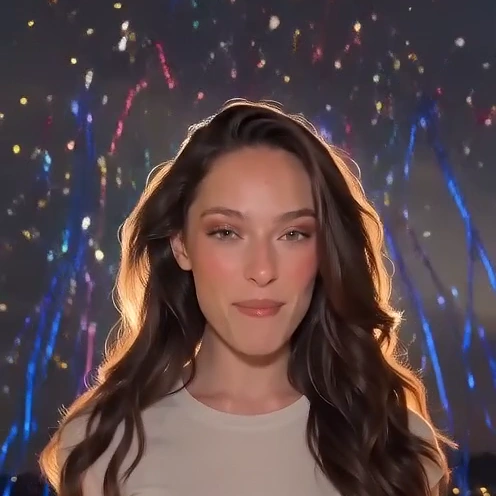
Video settings Model, quality and format
13 seconds · Silent download. Choose a quality and aspect ratio for your model.
Loading available settings…
Your download is silent. You can add music after downloading.
Loading template settings…
Before you create
Why does my download have no sound?
The download is silent because of music licensing restrictions. Music was added separately to the examples. If you have an audio file you can use, cut the section you want with Trim Audio, then combine it with your downloaded video using Add or Replace Audio.
How do I add “Boom Clap” in TikTok or Instagram Reels?
Download your video and upload it as a new TikTok post or Instagram Reel. Open Add sound in TikTok or the audio picker in Reels and search for “Boom Clap.” Pick the section that matches the example, move its start until the vocals line up with the performer’s mouth, then preview before posting. Check what your account and region can use, particularly for business posts. If the track is unavailable, choose an audio track you can use or share the silent clip. Another track can change lip and beat timing.
What kind of photo should I upload?
Use a sharp full-body photo of one consenting adult, facing the camera in even light. Keep the face, hands and feet visible. The video follows the template’s framing, including the close-up at the end.
How long is the result and how much does it cost?
The result is a 13-second video. Quality and aspect ratio depend on your model. The exact credit quote for the selected model appears before you create.
Read the Boom Clap photo and posting guide · Compare all video templates